geom_latex() and element_latex()
geom_latex() works like geom_text(), with
LaTeX labels. The size aesthetic is the font size in
points. element_latex() renders a theme element, such as an
axis title, as LaTeX.
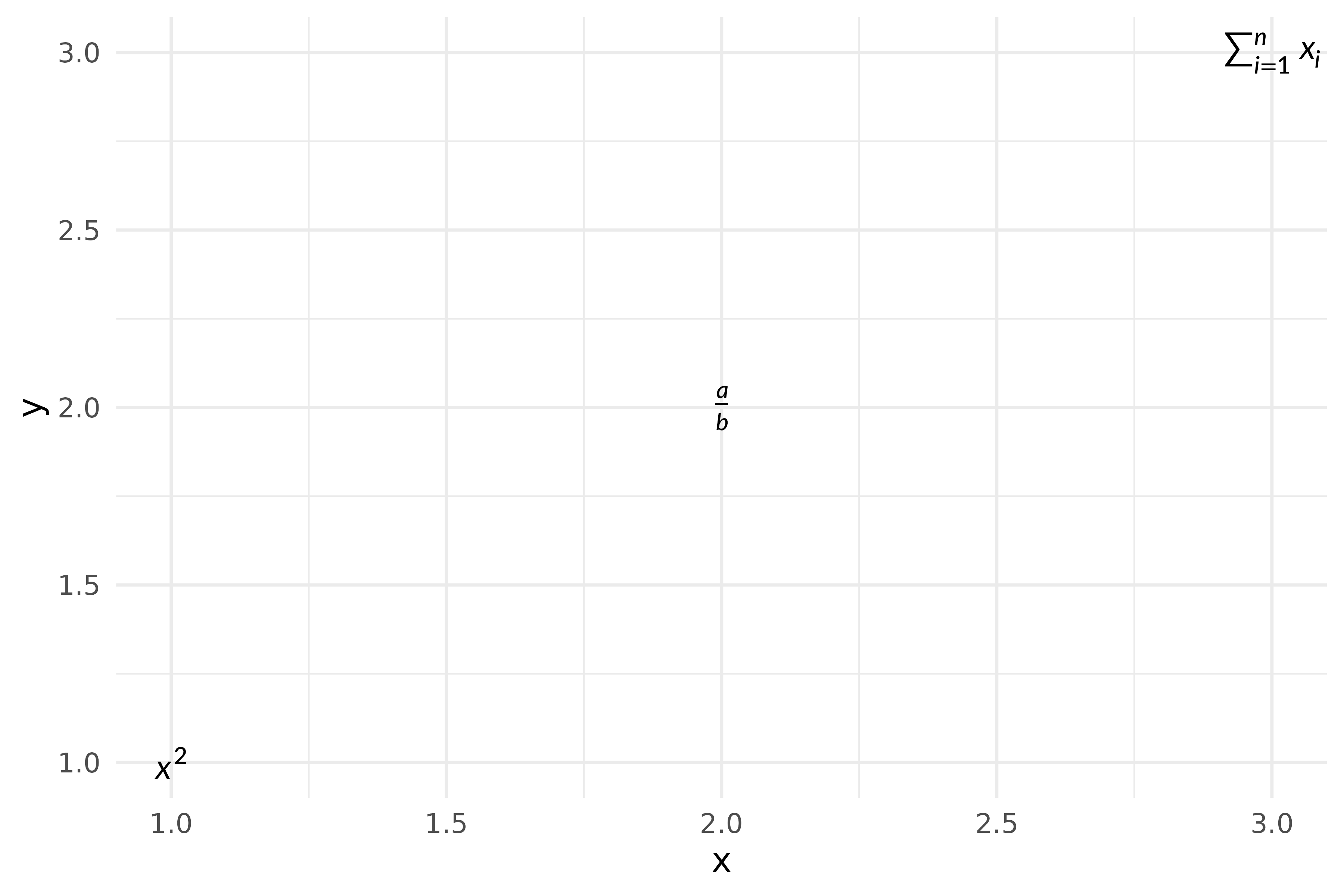
df <- data.frame(
  x = 1:3,
  y = 1:3,
  eq = c(r"($x^2$)", r"(\frac{a}{b})", r"($\sum_{i=1}^n x_i$)"),
  col = c("red", "blue", "green")
)

ggplot(df, aes(x, y,
               label = eq,
               colour = col,
               size = c(14, 18, 14))) +
  geom_latex() +
  scale_colour_identity() +
  scale_size_identity() +
  labs(
    x = r"($\beta_1 \cdot x + \beta_0$)",
    y = r"($\mathrm{mpg}$)"
  ) +
  theme(
    axis.title.x = element_latex(fontsize = 14),
    axis.title.y = element_latex(fontsize = 14)
  )
The $ signs are optional here: \frac{a}{b}
and $\frac{a}{b}$ give the same result.
Annotations
annotate("latex", ...) adds a single label:
fit <- lm(mpg ~ wt, data = mtcars)
b0 <- round(coef(fit)[1], 1)
b1 <- round(coef(fit)[2], 1)
r2 <- round(summary(fit)$r.squared, 3)

eq_label <- sprintf(r"($\hat{y} = %s %s x, \quad R^2 = %s$)", b0, b1, r2)

ggplot(mtcars, aes(wt, mpg)) +
  geom_point() +
  geom_smooth(method = "lm", se = FALSE) +
  annotate("latex", x = 4, y = 30, label = eq_label, size = 12) +
  theme_minimal()
#> `geom_smooth()` using formula = 'y ~ x'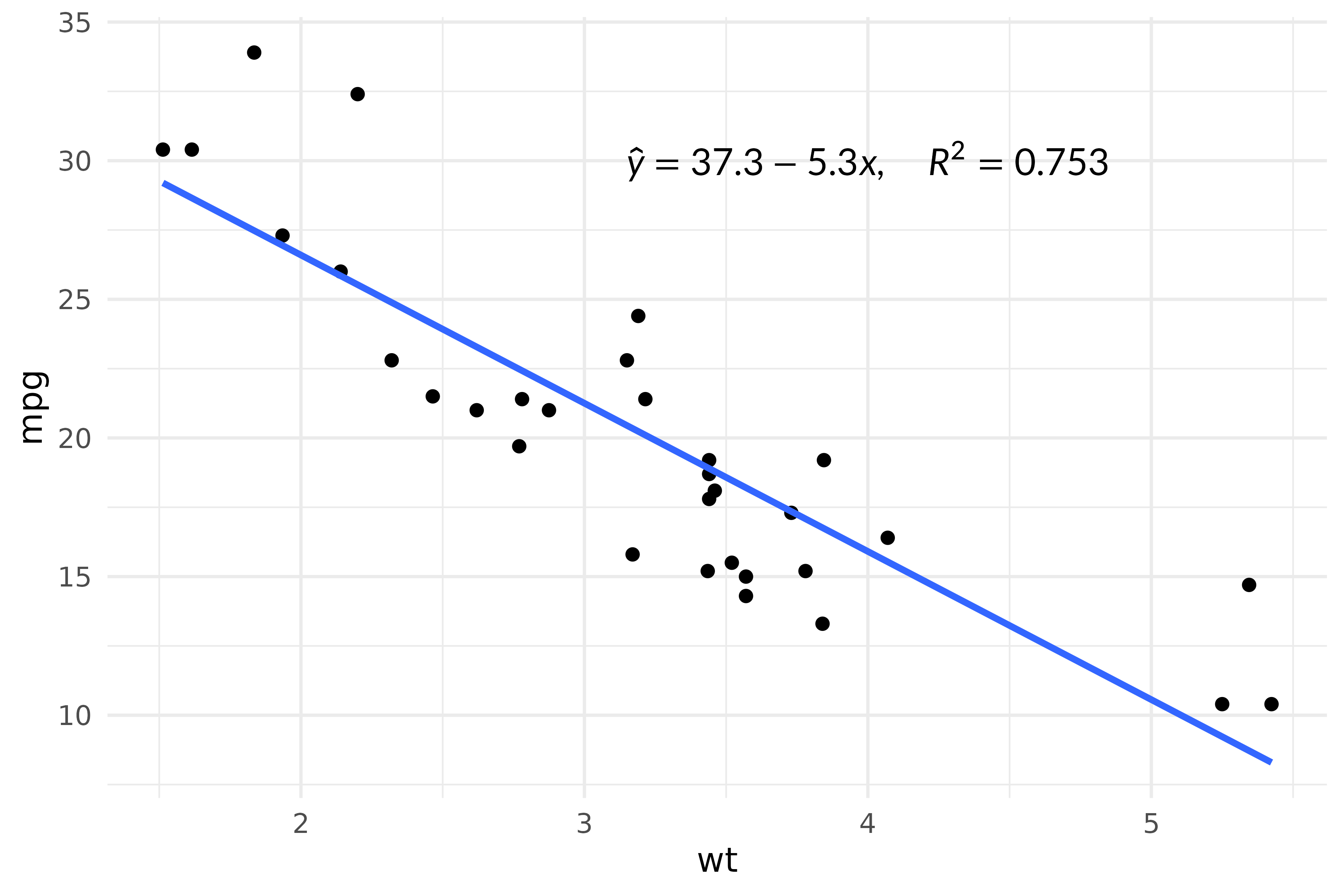
Without new functions
With latex_options(device_math = TRUE), ordinary
geom_text() and labs() labels are typeset too.
Here is the first plot using only ggplot2 functions:
latex_options(device_math = TRUE)

ggplot(df, aes(x, y,
               label = eq,
               colour = col,
               size = c(14, 18, 14))) +
  geom_text(size.unit = "pt") +
  scale_colour_identity() +
  scale_size_identity() +
  labs(
    x = r"($\beta_1 \cdot x + \beta_0$)",
    y = r"($\mathrm{mpg}$)"
  ) +
  theme(axis.title = element_text(size = 14))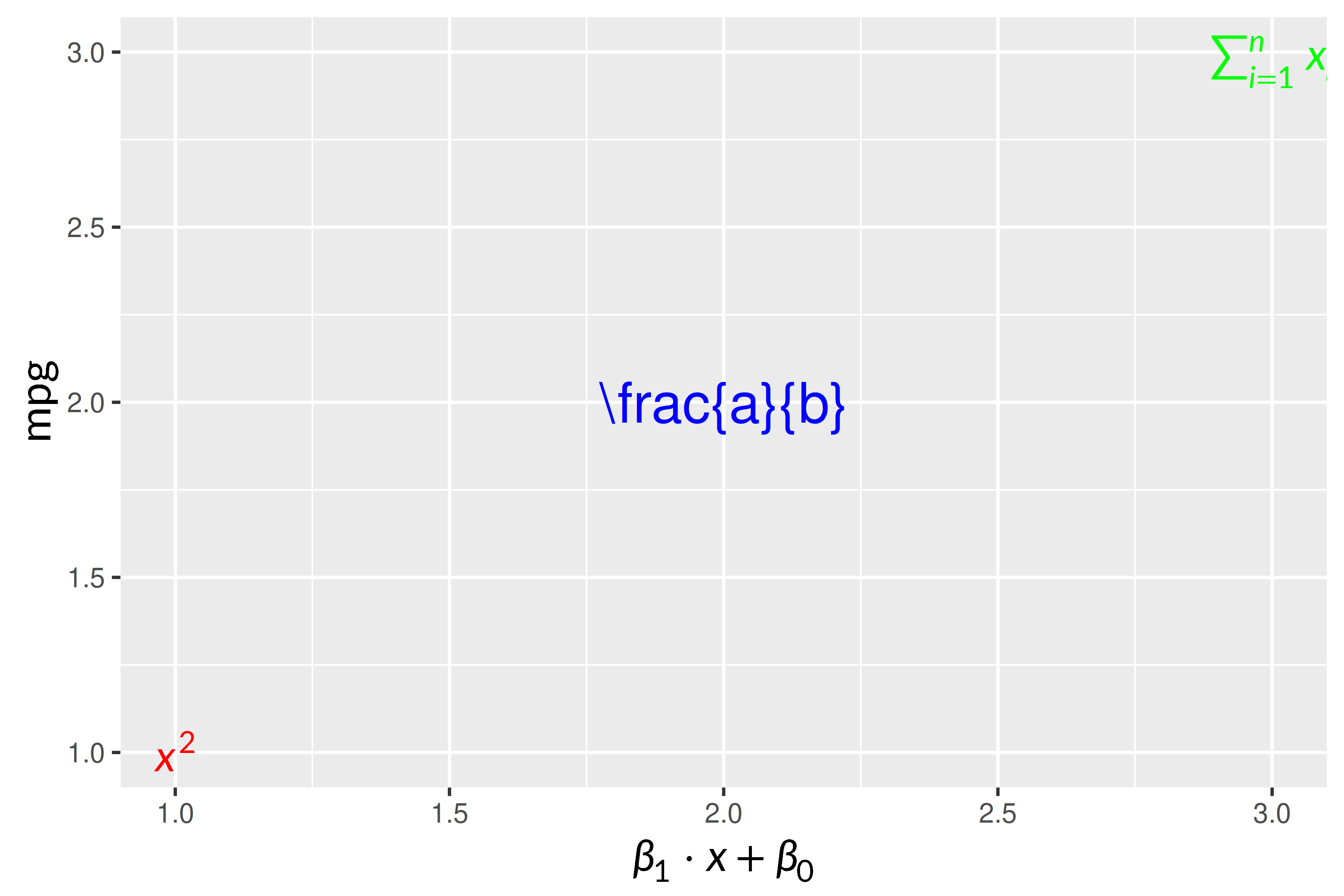
Here math needs its $ signs, so the middle label stays
literal. device_math applies to the whole session and does
not make room for tall formulas; geom_latex() and
element_latex() do. See
vignette("base-graphics").
Markdown labels
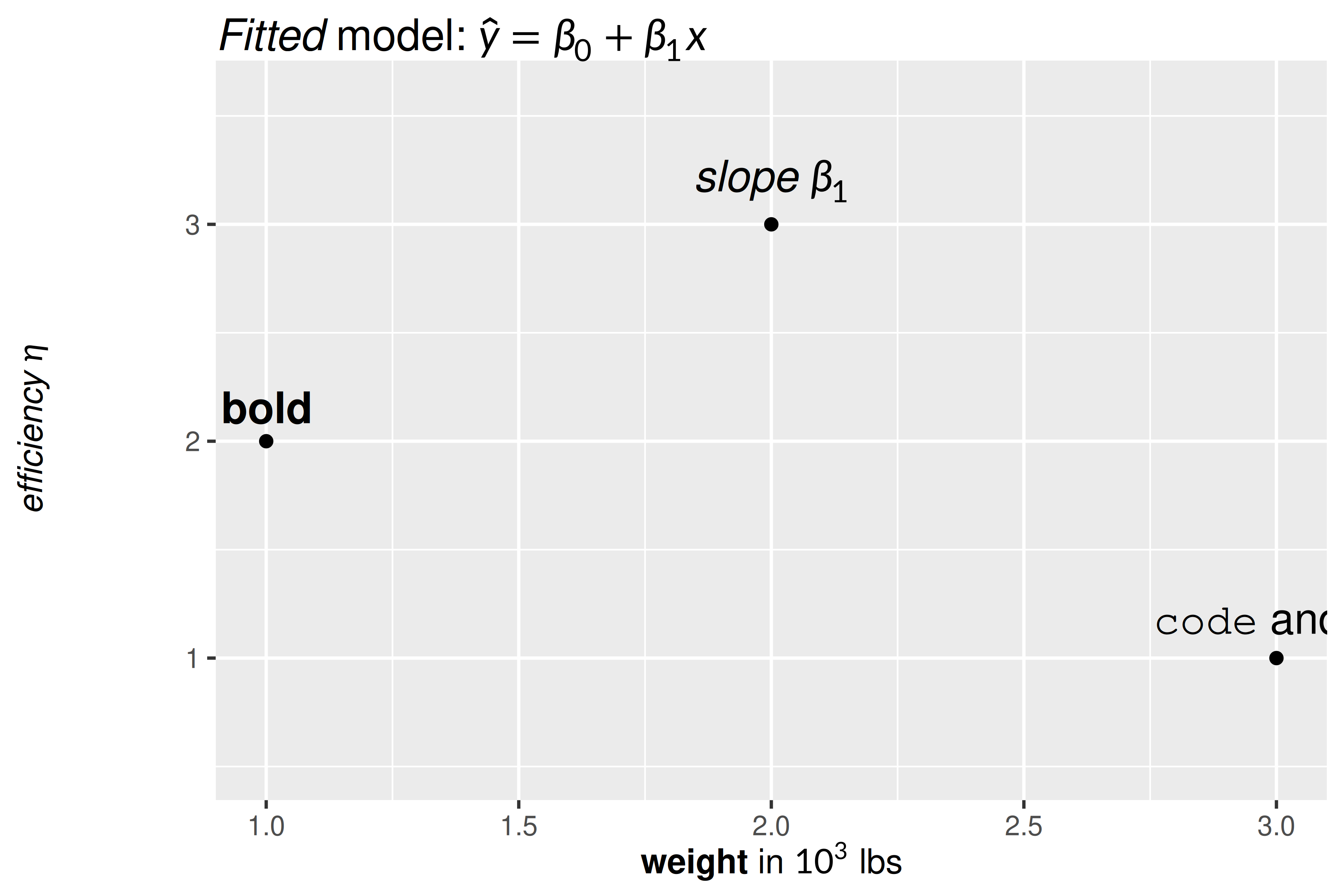
geom_markdown() and element_markdown() take
markdown with $math$, for labels that are more text than
formula:
df <- data.frame(
  x   = 1:3,
  y   = c(2, 3, 1),
  lab = c("**bold**", r"(*slope* $\beta_1$)", "`code` and $x^2$")
)

ggplot(df, aes(x, y, label = lab)) +
  geom_point() +
  geom_markdown(fontsize = 14, vjust = -0.6) +
  ylim(0.5, 3.6) +
  labs(
    title = r"(*Fitted* model: $\hat{y} = \beta_0 + \beta_1 x$)",
    x     = "**weight** in $10^3$ lbs",
    y     = r"(*efficiency* $\eta$)"
  ) +
  theme(
    plot.title   = element_markdown(fontsize = 14),
    axis.title.x = element_markdown(),
    axis.title.y = element_markdown()
  )
annotate("markdown", ...) adds one label;
<br> starts a new line:
fit <- lm(mpg ~ wt, data = mtcars)

note <- sprintf(
  r"(**Linear fit**<br>$\hat{y} = %s %s x$<br>$R^2 = %s$, *p* < 0.001)",
  round(coef(fit)[1], 1),
  round(coef(fit)[2], 1),
  round(summary(fit)$r.squared, 3)
)

ggplot(mtcars, aes(wt, mpg)) +
  geom_point(colour = "grey65") +
  geom_smooth(method = "lm", se = FALSE, colour = "#1F6FB2") +
  annotate("markdown", x = 4.1, y = 32, label = note, size = 11,
           style = "strong { color: #B22222 }") +
  theme_minimal()
#> `geom_smooth()` using formula = 'y ~ x'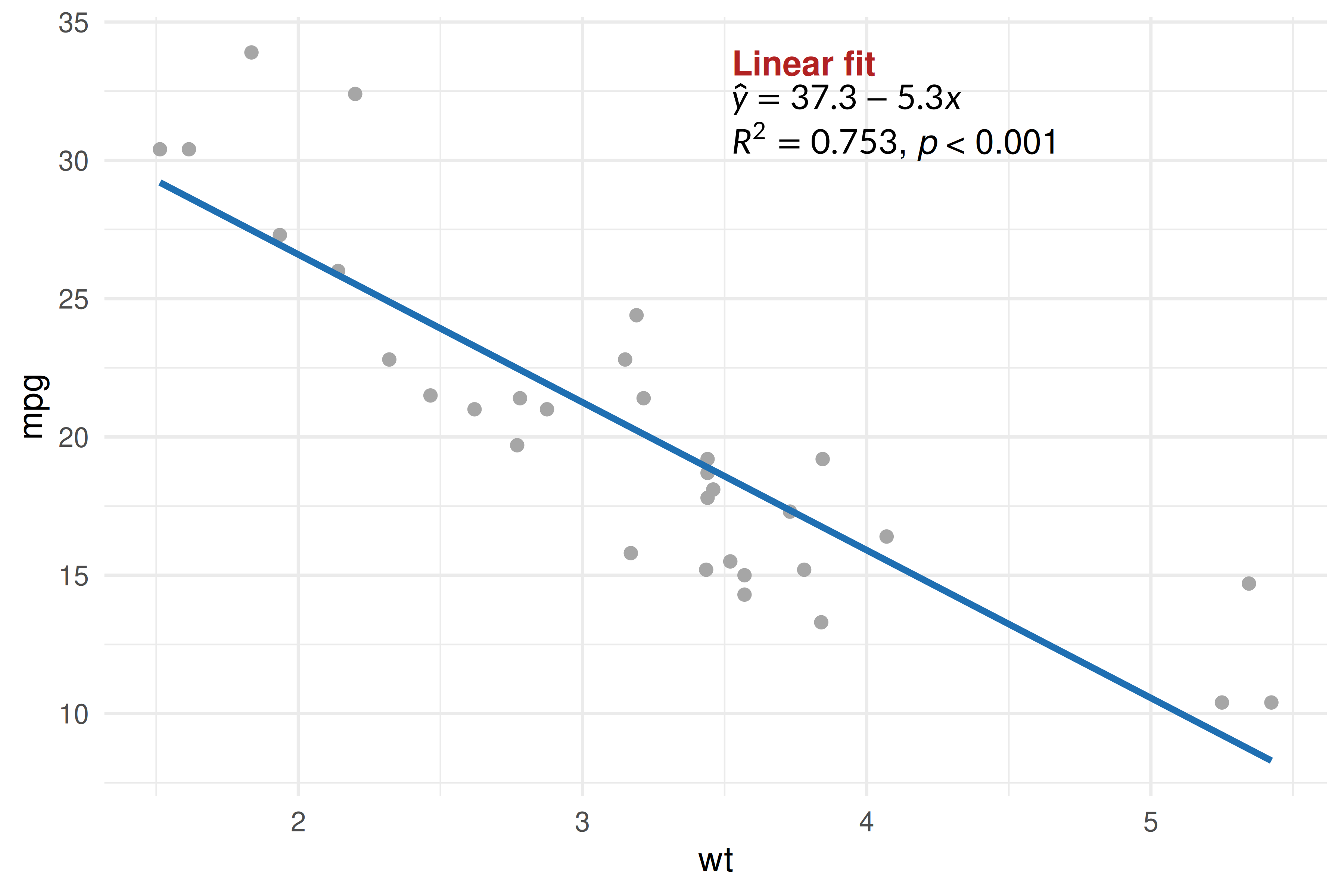
Styling
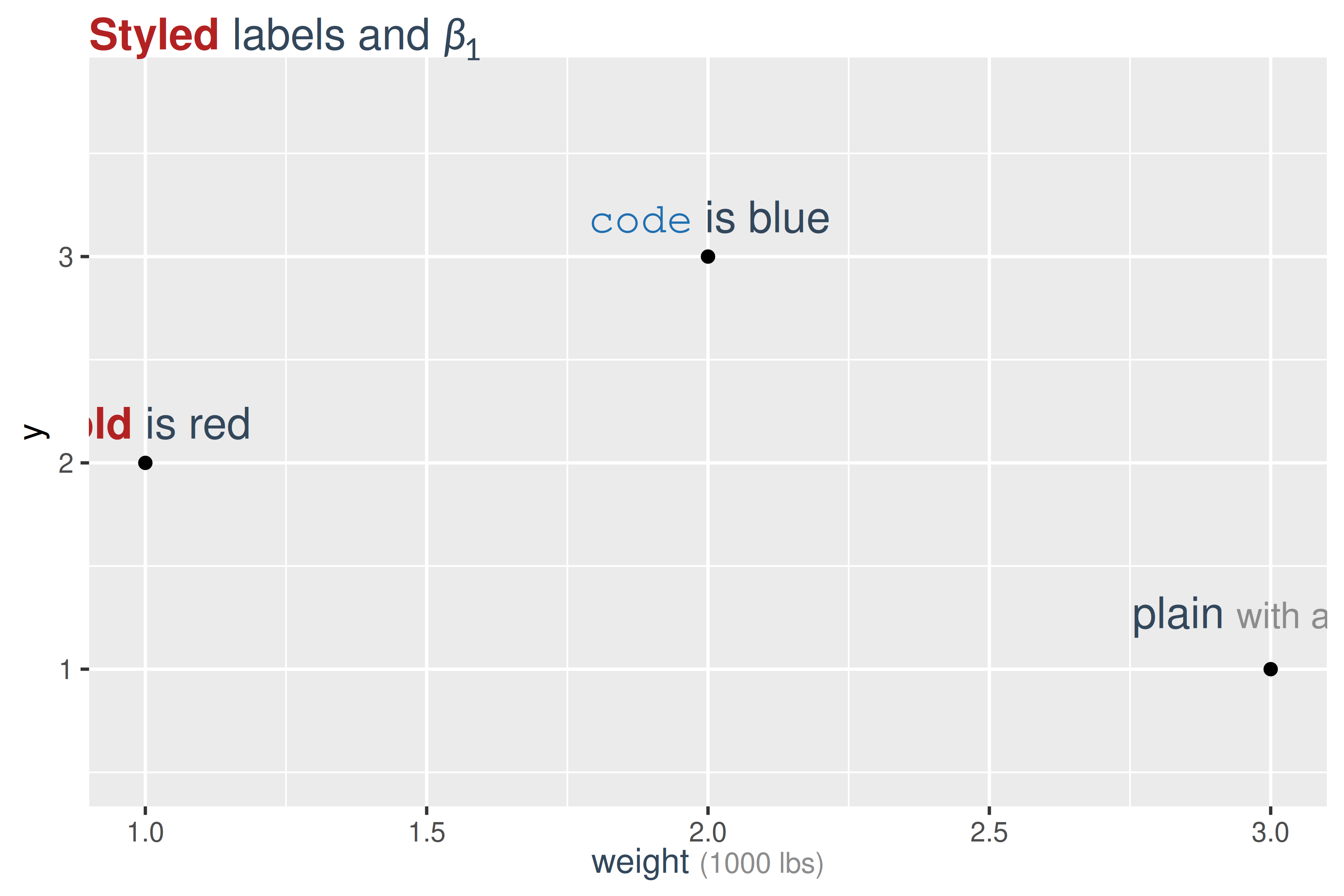
style takes CSS, as in
vignette("markdown"). <span class="...">
styles part of a label:
css <- "
  body   { color: #33475B }
  strong { color: #B22222 }
  code   { color: #1F6FB2 }
  .unit  { color: grey55; font-size: smaller }
"

df <- data.frame(
  x = 1:3, y = c(2, 3, 1),
  lab = c("**bold** is red", "`code` is blue",
          'plain <span class="unit">with a note</span>')
)

ggplot(df, aes(x, y, label = lab)) +
  geom_point() +
  geom_markdown(style = css, fontsize = 14, vjust = -0.8) +
  ylim(0.5, 3.8) +
  labs(title = r"(**Styled** labels and $\beta_1$)",
       x = 'weight <span class="unit">(1000 lbs)</span>') +
  theme(
    plot.title   = element_markdown(style = css, fontsize = 14),
    axis.title.x = element_markdown(style = css)
  )
Margins, padding and backgrounds apply only to block titles (below).
latex_options(markdown_style = ) sets a default style for
the session.
Block titles
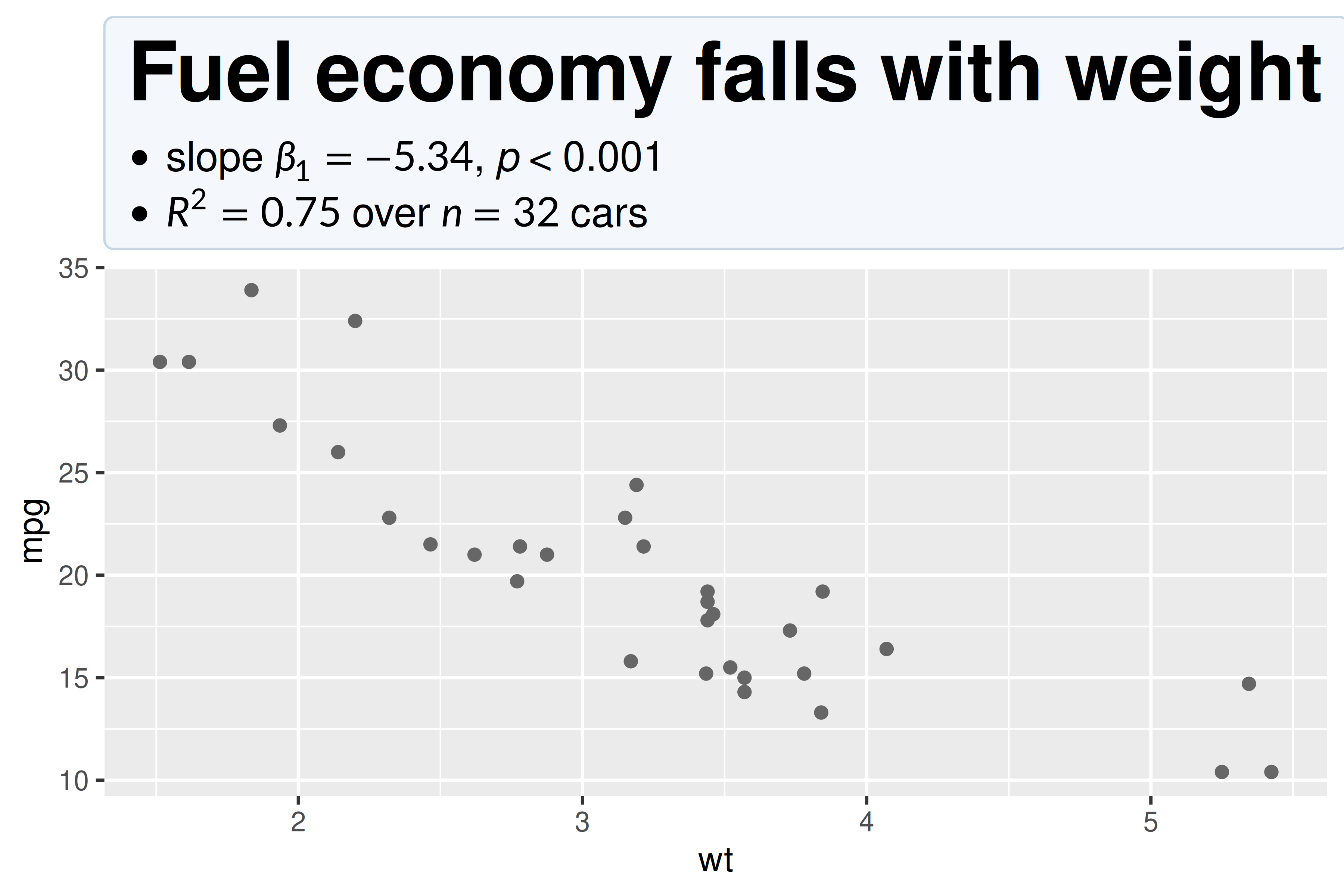
A title with a heading, a list or several paragraphs is laid out as a
small document, and the body rule styles its box:
ggplot(mtcars, aes(wt, mpg)) +
  geom_point(colour = "grey40") +
  labs(title = r"(## Fuel economy falls with weight

- slope $\beta_1 = -5.34$, *p* < 0.001
- $R^2 = 0.75$ over $n = 32$ cars)") +
  theme(plot.title = element_markdown(style = "
    body { background: #F4F7FB; padding: 10px;
           border: 1px solid #C7D6E5; border-radius: 4px }
  "))
- Text does not wrap unless you give
width;unit(1, "npc")suits a title. - Axis tick labels and rotated labels are never laid out as blocks.